

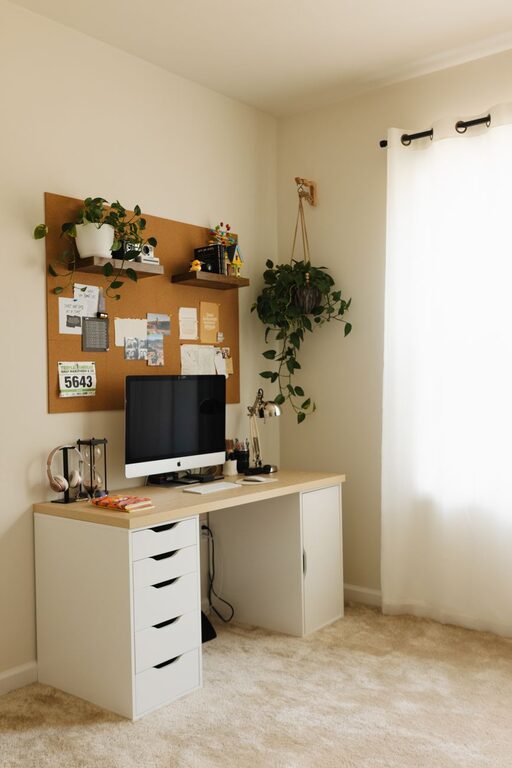
Creating a productive home office environment is essential for anyone working remotely or running a business from home. A well-designed workspace can help you stay focused, reduce distractions, and maintain a healthy work-life balance. Whether you have a dedicated room or a small corner, these tips will guide you in crafting an efficient and comfortable home office that supports your daily work needs.
Choose the Right Location
Selecting the right spot for your home office is the first step toward productivity. Ideally, pick a quiet area with minimal foot traffic and distractions. A separate room is best, but if that’s not possible, a corner in a living room or bedroom can work too.
– Avoid high-traffic areas where family members or roommates frequently pass through.
– Ensure the space has ample natural light to reduce eye strain and boost mood.
– If space is limited, consider movable partitions or noise-cancelling headphones to create a focused area.
Invest in Ergonomic Furniture
Comfort is key when spending long hours at a desk. Proper furniture reduces physical strain and helps maintain good posture.
– Choose an adjustable chair that supports your lower back and encourages an upright posture.
– Use a desk at the right height to prevent slouching or wrist strain.
– If possible, add a footrest and monitor stand to enhance comfort and ergonomics.
Optimize Lighting
Good lighting affects your energy levels and ability to focus.
– Position your desk near a window to take advantage of natural light.
– Supplement with adjustable task lighting, like a desk lamp, to avoid shadows and glare.
– Use soft white bulbs for a warm and inviting atmosphere that reduces eye fatigue.
Keep Your Space Organized
Clutter can cause stress and hinder productivity. An organized workspace allows you to focus on your tasks.
– Use shelves, filing cabinets, and organizers to keep documents and supplies tidy.
– Declutter your desk daily by putting away items you don’t need.
– Consider digital tools to reduce paper clutter, like scanning important documents and using cloud storage.
Personalize Your Workspace
Adding personal touches can make your office feel inviting and motivating.
– Include plants to improve air quality and add a touch of nature.
– Hang artwork or photos that inspire you.
– Choose colors and decor that reflect your style but avoid overly distracting elements.
Minimize Distractions
Distractions can reduce your concentration and efficiency.
– Keep your phone on silent or in another room if possible during focused work sessions.
– Use noise-cancelling headphones or play background music if it helps you concentrate.
– Set clear boundaries with family or housemates about your work hours.
Establish a Routine
Having a consistent daily routine helps your mind switch into work mode.
– Set regular work hours and take scheduled breaks.
– Start your day by reviewing your task list or goals.
– End your day by tidying your workspace and planning for tomorrow.
Use Technology Wisely
The right technology can streamline your tasks but also cause interruptions.
– Choose reliable internet and equipment to avoid technical difficulties.
– Organize your digital files and tools for easy access.
– Use productivity apps and time management tools to stay on track, but limit notifications that distract you.
Prioritize Comfort and Wellness
A comfortable and healthy workspace supports your overall well-being.
– Take regular breaks to stretch and move around.
– Stay hydrated and have healthy snacks nearby.
– Set boundaries to separate work time from personal time, preventing burnout.
—
Creating a productive home office involves thoughtful planning and adjustments that suit your needs and preferences. By focusing on ergonomics, organization, lighting, and minimizing distractions, you can build a workspace that helps you stay motivated and efficient every day. Remember, small changes can make a big difference in how you experience working from home.