

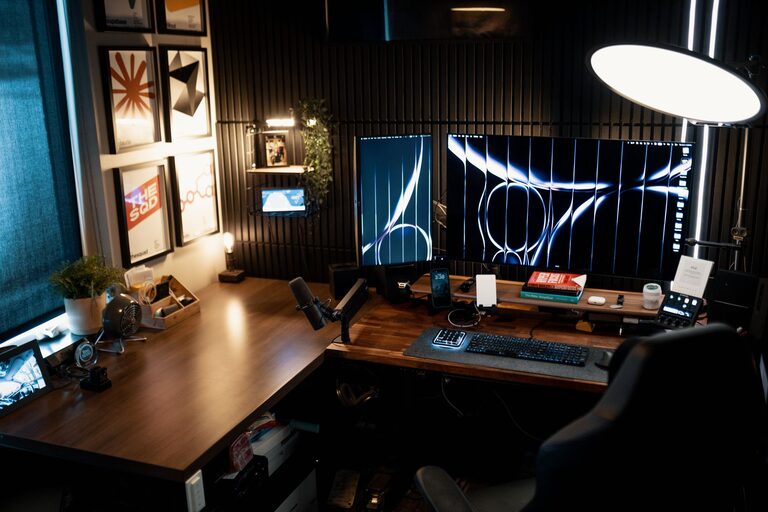
Creating a workspace at home that’s both cozy and functional is essential for anyone working remotely or managing daily tasks. A well-designed home office can improve focus, reduce stress, and make your work feel more enjoyable. Whether you have a dedicated room or a small corner, these tips will help you craft an inviting and efficient workspace that suits your needs.
Choose the Right Location
Consider Natural Light
Position your workspace near a window if possible. Natural light not only brightens the room but also helps regulate your circadian rhythm, improving alertness and mood.
Minimize Distractions
Avoid busy areas like the kitchen or living room if you can. Find a quiet spot where you can concentrate without interruptions from family members, pets, or household noise.
Invest in Comfortable Furniture
Ergonomic Chair
An ergonomic chair supports your back and promotes good posture. Look for adjustable height and lumbar support to customize the fit for your body.
Functional Desk
Choose a desk that fits your space and holds all your essential items. If space is limited, a compact desk or wall-mounted foldable desk can be great alternatives.
Organize with Purpose
Declutter Regularly
A tidy workspace helps clear your mind and increase efficiency. Make it a habit to remove unnecessary items daily or weekly to stay organized.
Use Storage Solutions
Incorporate shelves, drawers, and organizers to keep supplies within reach but out of sight. Label boxes or containers for easy access.
Create a Cozy Atmosphere
Add Personal Touches
Decorate with items that inspire and comfort you, such as plants, artwork, or photos. Personal touches make the workspace inviting and uniquely yours.
Choose Soothing Colors
Soft, muted tones on the walls and accessories can reduce stress and create a calming environment. Blues, greens, and neutrals work well.
Optimize Lighting
Combine Ambient and Task Lighting
Ensure your workspace has general lighting for the entire room and focused lighting on your desk. Adjustable desk lamps are great for this.
Avoid Glare and Shadows
Position lighting to minimize screen glare and avoid shadows that cause eye strain. Experiment with angles and bulb types to find the best setup.
Enhance Productivity with Technology
Reliable Internet and Equipment
A strong internet connection and functional hardware are essential. Invest in a good-quality headset, keyboard, and mouse to enhance your comfort and efficiency.
Use Cable Management
Organize cables with clips, sleeves, or boxes to prevent tangles and keep your desk neat.
Support Your Well-being
Take Regular Breaks
Set reminders to stretch or walk around every hour. Changing your posture and environment briefly can boost energy and reduce fatigue.
Maintain Proper Ventilation
Fresh air improves concentration and comfort. Open a window or use an air purifier to keep your workspace airy and pleasant.
Make It Flexible
Multi-use Furniture
If your space serves more than one purpose, consider furniture that can adapt, like a desk with storage that doubles as a filing cabinet or a foldable chair.
Reconfigure When Needed
Don’t hesitate to change your setup as your needs evolve. Rearranging your workspace can refresh your mind and keep things functional.
Final Thoughts
Designing a cozy and functional home workspace is an ongoing process. Start with these tips and adjust according to what feels best for your work style and space. Creating an environment that promotes comfort and efficiency will not only support your productivity but also make working from home a more enjoyable experience.