

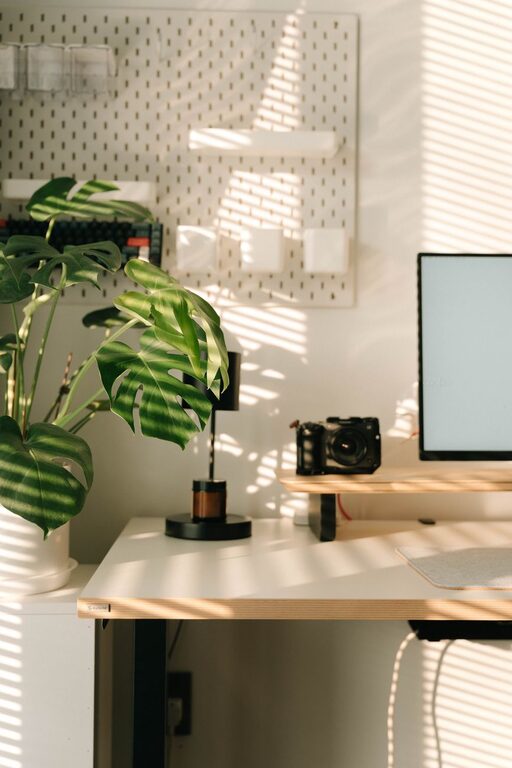
Creating a cozy and functional home workspace is essential in today’s world where many people work or study from home. A well-designed workspace not only improves productivity but also supports your comfort and overall well-being throughout the day. Whether you have a dedicated room or just a corner in your living space, there are plenty of ways to make your home office both inviting and efficient.
Why a Cozy Workspace Matters
Working from home comes with unique challenges, including distractions and the temptation to relax instead of focus. A workspace that feels cozy encourages you to spend quality time working, while still providing comfort. When your environment supports your needs, you’ll find it easier to maintain a routine and stay motivated.
Choose the Right Location
Consider Natural Light
Natural light has a positive effect on mood and energy levels. Whenever possible, set up your workspace near a window. This not only helps reduce eye strain but also creates a more uplifting atmosphere.
Minimize Noise and Distractions
Pick a quiet spot in your home, away from the busiest areas. If this isn’t possible, consider noise-cancelling headphones or soundproofing elements like rugs and curtains to reduce distractions.
Invest in Comfortable Furniture
Ergonomic Chair
A good chair is key for comfort and health. Choose one that supports your back and allows you to sit with feet flat on the floor and knees at a 90-degree angle. Your chair should be adjustable to fit your posture perfectly.
Suitable Desk
Select a desk that matches your workspace needs. It should have enough surface area for your computer, notebooks, and other essentials without feeling cramped. For added flexibility, consider a standing desk or an adjustable-height desk.
Organize with Purpose
Declutter Your Space
Clutter can cause stress and reduce focus. Keep your desk tidy by storing items you rarely use in drawers or shelves. Use organizers or trays to group similar items and prevent mess.
Use Functional Storage Solutions
Shelving units, filing cabinets, and baskets can help keep important documents and supplies within reach but out of the way. Labeling boxes and folders makes it easier to find what you need quickly.
Personalize the Space
Adding personal touches can make your workspace feel more welcoming.
– Decor: Choose calm colors or patterns that inspire you.
– Plants: Small potted plants improve air quality and add visual interest.
– Artwork: Hang pictures or prints that motivate or relax you.
– Lighting: Use lamps or string lights for warm, softer lighting options, especially for late work sessions.
Optimize Technology Setup
Ensure your technology supports your productivity without cluttering your space.
– Cable Management: Use clips, sleeves, or boxes to keep cords neat.
– Monitor Setup: Position your monitor at eye level to avoid neck strain.
– Peripheral Devices: Consider wireless keyboards and mice to reduce cable clutter.
Incorporate Healthy Habits
Take Breaks
Set reminders to stand, stretch, or walk around regularly. A cozy chair and a well-lit space help encourage movement without discomfort.
Maintain Good Air Quality
Ventilate your workspace daily or use an air purifier. A fresh environment helps keep you alert and focused.
Adapt and Evolve Over Time
Your workspace needs might change as you work or study differently. Don’t hesitate to rearrange furniture, update decor, or add new tools to keep your area functional and comfortable.
—
Creating a cozy and functional home workspace takes thought and effort but pays off with better focus, comfort, and happiness during your workday. Start with small changes, and gradually build a space that truly supports how you work best.